How to Start a Podcast: A Beginner's Guide (With the Tools I Actually Use)
Podcasting is one of the best ways to share your expertise, connect with your audience, and build your brand in a format that people can consume on the go. I've been hosting The Social Smarty Show for a while now and honestly, I wish I'd started sooner.
Getting started can feel overwhelming, so here's exactly what I use and what I'd recommend if you're starting from scratch.
Step 1: Get a decent microphone
You don't need a professional studio setup. You do need a decent microphone. Laptop audio just doesn't cut it and it's the first thing people notice.
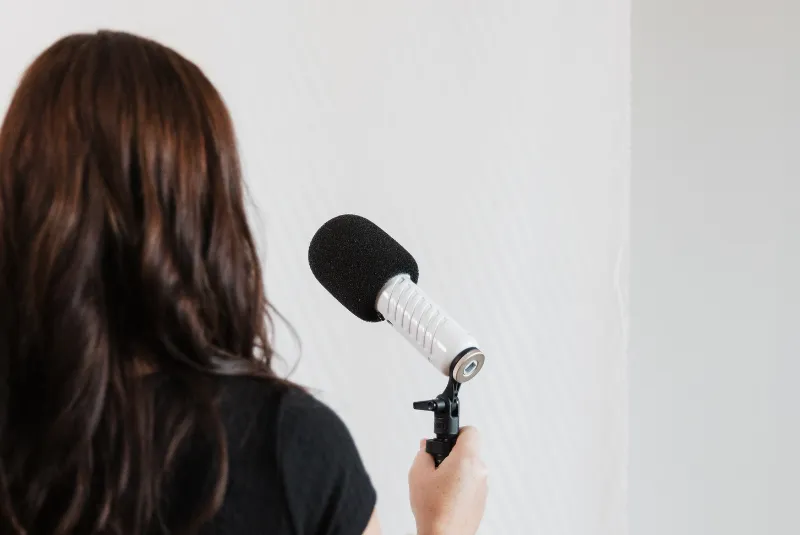
I use the RODE Podcaster USB Dynamic Microphone. It plugs straight into your computer via USB, no extra equipment needed, and the sound quality is excellent. I also use a few accessories to go with it:
The RODE PSA1 Studio Boom Arm clamps onto your desk and holds the mic in the right position so you're not hunching over it.
The RODE PSM1 Shock Mount keeps the mic steady and reduces vibrations coming through your desk.
A pop filter or wind shield helps reduce those sharp plosive sounds, the hard P and B sounds that can make audio feel harsh. (Full disclosure: I started with a sock on the mic before I bought one.)
Step 2: Record with Riverside
I record all my episodes using Riverside. It records each person locally rather than over the internet, which means the audio quality is much better than a standard video call, even if someone's connection is patchy.
It's also great if you want to offer a video version of your podcast, which more and more listeners are expecting. You can record high quality video and audio at the same time, then use whichever format suits each platform.
Riverside also has a direct integration with Spotify for Creators, which makes the whole workflow a lot smoother.
Step 3: Clean up your audio
Even good audio can benefit from a polish. I use Adobe Enhance for this, and it genuinely is magic. You upload your recording, it removes background noise and evens out your voice, and it sounds like you recorded in a proper studio. It's free, and it takes about two minutes.
Step 4: Add intro and outro music
Your intro and outro music sets the tone for your show and makes it feel professional from episode one. I found mine through Fiverr. For around $20 you can get custom music made to fit your vibe. It's one of those small things that makes a big difference.
Step 5: Host your podcast on Spotify for Creators
Once your episode is ready, you need somewhere to host it. I use Spotify for Creators (formerly Spotify for Podcasters), which is free and gets your podcast onto Spotify where a huge chunk of listeners already are.
It also supports video podcasts now, so if you're recording with video it's straightforward to publish both formats in one place.
From there you can also submit your podcast to Apple Podcasts via Apple Podcasts Connect, which covers the other major place people listen.
Step 6: Consider YouTube
If you're recording video as well as audio, YouTube is worth adding to your distribution. It's the second largest search engine in the world, and video podcasts are growing fast. You don't have to do both straight away, but it's worth knowing the option is there when you're ready.
A few things I've learned along the way
Start before you're ready. The first few episodes will feel awkward and that's fine. You'll find your rhythm.
Batch record when you can. Sitting down to record two or three episodes at once saves a lot of time and keeps you consistent.
Content matters more than production. A slightly imperfect recording of something genuinely useful will always beat a polished episode of nothing.
You don't need to be on every platform. Start with Spotify and Apple. Add more when it makes sense.
If you want to hear what The Social Smarty Show sounds like in practice, you can listen here.
And if you'd like support with your broader marketing strategy, including whether a podcast is the right move for your business, check out my upcoming workshops.